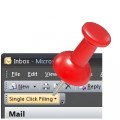
Single Click Filing is a clever new email organizer add-in that allows Outlook users to file their email with complete ease. It’s so simple, it’s a wonder Microsoft hasn’t thought of this itself.
The Microsoft® Outlook ® Add-on That makes it easy to create Appointments and Tasks. Smart Schedules allows you to automatically Schedule & Reschedule Appointments & Tasks for the FULL Project… inside Outlook… in less than 10% of the time… with no errors!
Synchronize Microsoft Outlook data between multiple PCs using external USB device, shared network folder or FTP. Share and sync Outlook Calendar and Contacts folders with Google Calendar™ service.
Do you use Outlook on more than one computer and want to keep your Outlook data like E-mails, Contacts, Tasks, Notes, Appointments or Journal Entries in sync? Then you need this software to synchronize Outlook either between different Outlook data files (pst files) or between an Exchange Mailbox and an Outlook data file (pst file).
TaskToCal displays your Outlook tasksautomatically in your Outlook calendar. This Outlook add-in integrates completely in your Outlook2010/2007/2003/XP/2002/2000.
The only comprehensive helpdesk system entirely integrated seamlessly within your Microsoft®Outlook®, transforming it from a simple email client to a fully fledged service provider.
Use this Outlook plug-in to reduce the time spent on your e-mail correspondence at least by half. You need just a double mouse click to insert frequently-typed phrases or blocks of text into Outlook e-mail messages, or to add a new phrase to your template list.
'Track Your Sent' gives you 4 easy ways to track your sent items. Plus maintain your categories with a reply or forward while keeping your categories local! 4 easy ways to track your sent items: Filing, Categories, Calendar, Tasks. Re-attach your category with a reply/forward to the sent item. Keep your categories local (and not expose them to the recipient). Define a default action or action(s) for just a single sent item
Traylook can help by providing unobtrusive notifications of your arriving email. Traylook only provides notifications to email messages in folders that you select. You may choose to just monitor your inbox, or you can monitor other specific folders.