Outgoing Email Checker add-in lets you specify rules for verifying your messages before sending them. Avoid most common emailing mistakes and make sure you always add an attachment when necessary, use the correct account, hit Reply All when there are several initial recipients and many other. With this reminder add-in you can enable a wide variety of rules for effective and professional correspondence.
With OutlookPoint you can display your selected mail messages, calendar items, tasks, contacts and notes directly in your Microsoft PowerPoint presentation. This eliminates the need to develop custom data entry applications.
Print Outlook E-mails the way you want!Solve your Outlook printing problems!Customize the printing of your Outlook mails with an easy to use interface.Print incoming E-mails automatically.
PDF Postman is probably the easiest and most cross-platform compatible way to send an encrypted message. PDF Postman unites Microsoft Outlook and email security with the ubiquity of the PDF document format. Use PDF Postman to send AES-128 bit encrypted messages to just about any computer, smart phone or tablet. The recipient only needs the password and a standard PDF viewer to access your message and file attachments. A great alternative to complex encryption schemes that burden the recipient.
Are you thinking about getting Attachment Save, Add Email Address, or Hide Fax Numbers add-ins? If so, then the Power User Bundle may be what you need. It includes three of the more popular add-ins for a single low price!
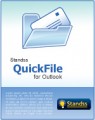
File 90% of Your Emails at the click of One Button. If you use Microsoft Outlook a lot, you know what a hassle it is to organize mail and keep it organized… especially if you work with many folders and subfolders. QuickFile is an Outlook Add-in that helps you organize mail quicker and more sensibly. Your emails get filed away, fast and easy. And you can find them again later, fast and easy.
ReliefJet Essentials™ for Outlook is a straightforward tool that provides many features aiming at simplifying every Outlook user’s experience. Intuitive and easy-to-use. A must have for everyone.
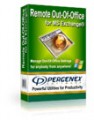
Remote Out-of-Office for Exchange is a server-based application that allows users to remotely manage Out of Office settings for other users, or themselves without Outlook, or any additional applications.
Does your own name pop up when you hit the “Reply To All” button in Outlook? If so, this frustrating behavior can be eliminated with this add-in. It also prompts you before sending, preventing you from making an embarrassing mistake.