This outlook plugin offers an easy way to send personalized messages. Recipient name and email address can be automatically inserted into the message. Works with Outlook 2010, 2007, 2003, 2002 (Outlook XP), 2000.
Send Personally is the add-in for Microsoft® Outlook® designed to send individual emails to a great number of recipients via Microsoft Outlook 2010 / 2007 / 2003 / XP. This add-in for Outlook offers you an alternative method of sending personalized emails from Outlook: separate messages are being created for each recipient. The final recipient will receive no information about any of the other recipients. Moreover, he/she will see only his/her name and address in the “To” field, as if the message is sent to him/her only.
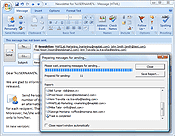
The main problem with sending bulk mail through Outlook is that Outlook shows all the recipients in the message heading. If the recipient list is relatively small, this doesn’t result into any considerable inconvenience. However, if a message is sent to hundreds of recipients, its heading size might many times exceed the size of the message text and of any attachments combined.
Therefore, Outlook was not personal email client, until we created the Send Personally programme for it. With our add-in, it it becomes a personalized e-mail program There is no need to explain that the problem of hiding recipient in Outlook is very important for the most of businessmen nowadays!
This add-in for Outlook offers an easy solution for this problem. And you won’t need to perform any additional actions. The only thing you will have to do is to press the button “Send Personally” instead of the standard “Send” button.
With Send Personally for Outlook, no special setup procedures are needed: it is ready-to-use right upon installation. You obtain a unique opportunity to send personalized mass email on the most favorable terms. From this moment on, Outlook personalized email message is delivered exclusively to the person it is addressed to.
Send Personally for Outlook is fully compatible with:
Microsoft Windows 7/Vista/2003/XP;
Microsoft Outlook 2010, 2007, 2003, 2002/XP;
Add-in can’t work with Outlook 2000 when Microsoft Word is used as a message editor. In this case you need to use the standard Outlook message editor.
Program Features:
You can use macros (special expressions automatically replaced by the recipient’s personal data when sending a message) in the message text. Using macros, you can insert the recipient’s name, e-mail address, as well as the name of the Outlook distribution list containing his/her address at the moment of sending, into a message;
When creating a message, you can choose which addresses should be excluded from the distribution list. To do that, simply create a new Outlook distribution list which name starts with the word “exclude”, add the addresses to be excluded into that list, and enter the list name along with the others into the “To” field of the message being created;
System requirements
Microsoft Windows XP, 2003, Vista, 7;
Microsoft Outlook 2010 / 2007 / 2003 / XP.
Add-in can’t work with Outlook 2000 when Microsoft Word is used as a message editor. In this case you need to use the standard Outlook message editor.
Works with all message editors in Outlook 2010, 2007, XP.
With all the above, you can be sure that this new innovative Send Personally add-in of Microsoft Outlook is the most effective solution for sending personalized mass email to every single recipient individually. After purchasing this first-class Outlook add-in, you gain a splendid opportunity to send individual emails to the unlimited number of specific receivers with certainly that the addresses of other recipients are hidden. Under present-day conditions, this possibility is of the vital importance undoubtedly. Additionally, this add-in is an ideal part to be used in bundles together with other software we propose. Imagine what advantages you get after buying the fully-licensed version of Send Personally!
Send Personally Flash tours
How to send personalized messages to a number of recipientsHow to send personalized messages to a number of recipients using Send Personally for Outlook.Download Offline Version (1366 Kb)How to use an exclusion list in Send Personally for OutlookScreencast shows simple steps to send personalized messages and at the same time exclude some recipients automatically. Download Offline Version (1492 Kb)
License type
USD
Single user license
24
5-Users license
110
10-Users license
190
25-Users license
450
50-Users license
800
100-Users license
1200
* If you are interested in purchasing more than 100 users licenses, volume prices are available. Please contact us at sales@unitedaddins.com to get an attractive quote.

 The main problem with sending bulk mail through Outlook is that Outlook shows all the recipients in the message heading. If the recipient list is relatively small, this doesn’t result into any considerable inconvenience. However, if a message is sent to hundreds of recipients, its heading size might many times exceed the size of the message text and of any attachments combined.
Therefore, Outlook was not personal email client, until we created the Send Personally programme for it. With our add-in, it it becomes a personalized e-mail program There is no need to explain that the problem of hiding recipient in Outlook is very important for the most of businessmen nowadays!
This add-in for Outlook offers an easy solution for this problem. And you won’t need to perform any additional actions. The only thing you will have to do is to press the button “Send Personally” instead of the standard “Send” button.
With Send Personally for Outlook, no special setup procedures are needed: it is ready-to-use right upon installation. You obtain a unique opportunity to send personalized mass email on the most favorable terms. From this moment on, Outlook personalized email message is delivered exclusively to the person it is addressed to.
Send Personally for Outlook is fully compatible with: