 3D View
Watch your ideas come to life in awesome 3D when you create your maps in iMindMap’s 3D View. With 3D images and background environments, you can glide around your map from a multitude of angles.
Add a little drama to your Mind Mapping and try it out for a more interactive presentation experience. We guarantee it’ll be nothing like your audience has ever seen.
 Presentation Builder & View
Plan, create and deliver stand out presentations using iMindMap’s intuitive builder. Our slide builder allows you to choreograph a memorable path through your presentation with a visual feast of rotating transitions, smooth animation and captivating 3D.
We’ve got your back during the presentation as well, with your own Presenter Screen to view your notes, timers and control any links to files, videos or websites. Plus, you can export your presentations as videos or upload them straight to YouTube for easy sharing!
 Create Flowcharts
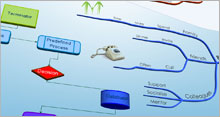
Incorporate processes into your maps with Flowcharts. Switch between radiant Mind Mapping and sequential flowcharting to capture your ideas in the most effective way.
 Manage Your Projects
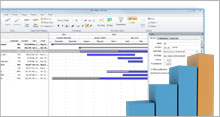
Create task completions and milestones, view your maps as Gantt Charts or Task Tables and integrate with Outlook® for total control and advanced task management.
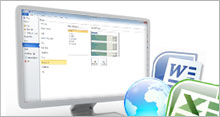 Office Integration
Working in harmony with your most-used desktop tools, Ultimate can effortlessly turn your maps into clean text documents, spreadsheets and webpages.
 Map Snippets
Snip parts of your map to create a Map Snippet that you can quickly paste into other maps. Perfect for branches you use a lot, such as resources for a project or a code you use to categorise.
 Clear the Clutter
With the lightning fast filtering system you can clear what you don’t need and focus on just the essentials.Filter by pretty much anything – keywords, icons, notes, task information or links.
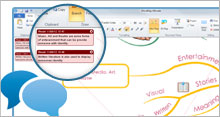 Intelligent Feedback
Point out or comment on any part of a Mind Map, to give feedback, highlight problem areas or make suggestions to a colleague with our Comments system.
Map Snippets
Snip parts of your map to create a Map Snippet that you can quickly paste into other maps. Perfect for branches you use a lot, such as resources for a project or a code you use to categorise.
Clear the Clutter
With the lightning fast filtering system you can clear what you don’t need and focus on just the essentials.Filter by pretty much anything – keywords, icons, notes, task information or links.
Intelligent Feedback
Point out or comment on any part of a Mind Map, to give feedback, highlight problem areas or make suggestions to a colleague with our Comments system.

 Our diverse user base includes: