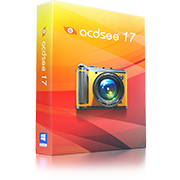
ACDSee Pro 7 has everything you need to manage, perfect, and present your images. Carry out digital asset management and all the essential tasks of your photography workflow in one complete, amazingly fast solution. Achieve stunning results, stay organized, save time. ACDSee Pro 7 delivers total photography control…
Top FeaturesDigital asset management
Organize any way you want. Add metadata, ratings, keywords, categories, and location details to your images. Quickly identify photos for further processing with visual tags and color labels. Make use of powerful search tools to find photos based on almost any criteria. With ACDSee Pro 7, even the wildest of libraries can be tamed.
Non-destructive freedom
Get set for worry-free, go-for-it creativity. ACDSee Pro 7’s non-destructive environment means your original images always stay intact. Preview your changes instantly, hide, reveal or switch up adjustments, and save different versions of your photos.
RAW processing
See incredibly true-to-life color representation and contrast. Get the correct white balance and exposure, and fine tune tonal distribution. Boost vibrance while protecting skin tones, and adjust saturation, brightness and hue on a color-by-color basis. Avoid color clipping during RAW conversion by leveraging your image’s histogram.
Super fast viewing
Count on ACDSee Pro 7 to display your photos, including the largest of RAW files, exactly the way you want, fast. View your images in real time, from their original locations, since you never have to import them into a separate library first.
Patented lighting technology
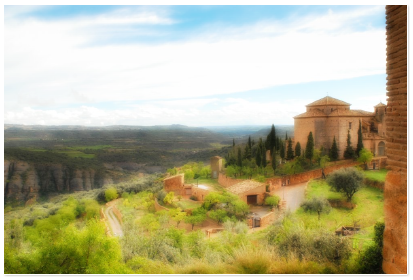
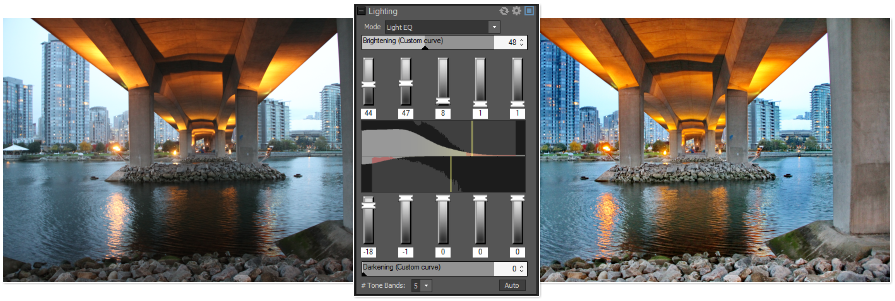
Improve areas that are too light or too dark with the Lighting tool, powered by ACDSee’s patented LCE (Lighting and Contrast Enhancement) technology. Instantly lighten shadows and reduce highlights, change the tonal range and color balance, and experiment with single-exposure HDR effects.
Brush on selective edits
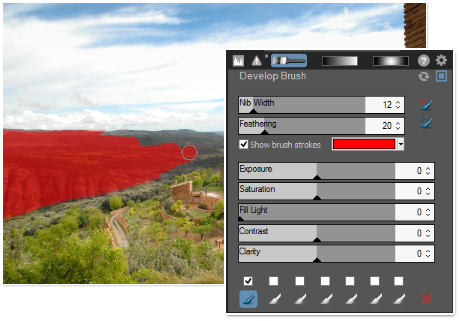
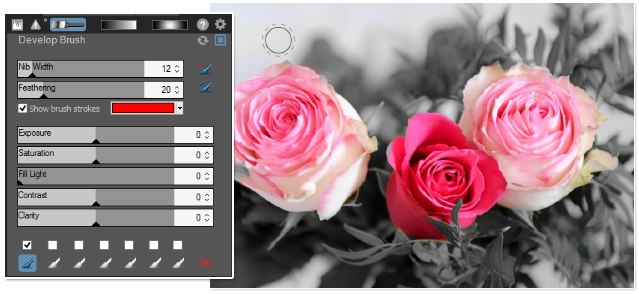
Brush on any editing effect or adjustment to a targeted area of your photo, complete with size and feathering controls to get the exact look you want. Tune your images, sharpen, reduce noise, erase unwanted objects, and more.
Powerful batch processing
Save an incredible amount of time. Set ACDSee Pro 7 to perform a range of workflow steps on batches of images at once. Convert formats and color space, resize, change filenames, add watermarks, and easily save them as presets to work even faster the next go around.
Advanced color control
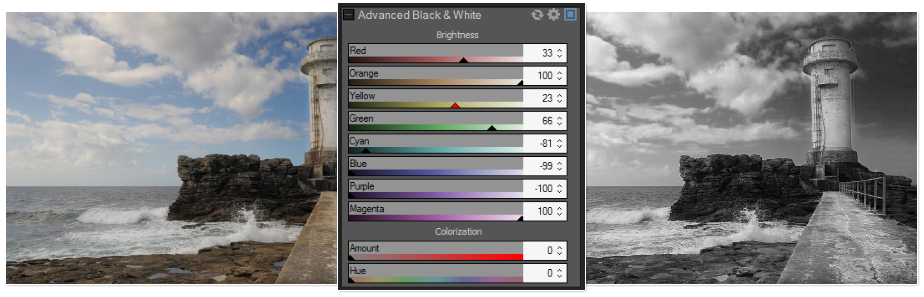
Take full control of your images with Advanced Color tools to subtly fine-tune or dramatically change hue, saturation, and lightness. And a dedicated black and white mode allows you to make hue-based brightness adjustments to your monochrome images, and to add a specific hue back in.
Present and protect
Whether you share socially, present online, or email directly to clients, showcasing your photos has never been this effortless. And you can count on ACDSee to help you protect all your valuable work, both offline and in the cloud.
ManageAn organized collection means you work smarter and finish faster — and that means more time behind the lens. Take control of all your digital image assets with ACDSee Pro 7.
Hit the ground runningConnect directly to the folders on your computer, so you can browse and work right away. There’s never a need to import your photos into a separate library. Put the flow in your workflowOrganize your photos as you get them from your camera or storage device. Catalog files for increased speed and performance. Customize your workspace to suit your style, switch between multiple databases, and access external editors with seamless simplicity. Good things come in batchesPerform a range of workflow steps on batches of images at once. Convert formats and color space, resize and change filenames, and easily save them as presets to work even faster the next go around.
Maximize metadataEnjoy full support for EXIF, IPTC and XMP metadata. Save time by modifying metadata for groups of photos at once, creating presets for ongoing use or for sharing between computers, and copying and pasting metadata on the fly. You can also strip out valuable details to keep your proprietary information private.
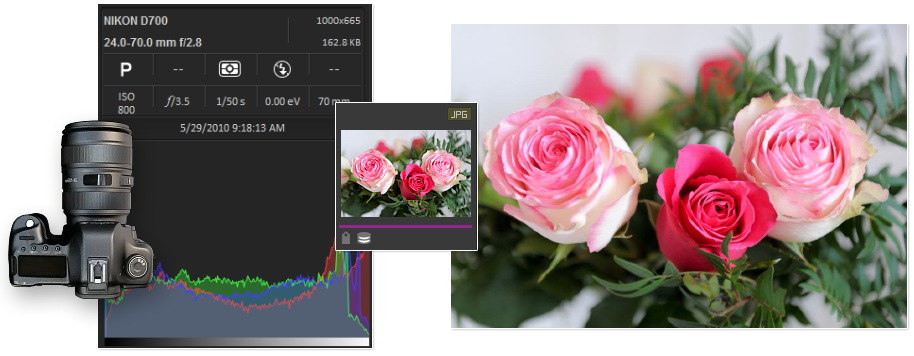
Find any imageFind images based on metadata, file properties, date, event, keyword, rating, color label, and GPS location. Build and save detailed searches. You’ll never lose track of another photo.Stay organizedAdd ratings, hierarchical keywords, categories, and location data to your images. Quickly identify photos for further processing with visual tags or customizable color labels.Info PaletteAccess key shooting information while working with your photos. The Info Palette conveniently displays a host of data alongside your image, including white balance, metering mode, exposure program, and whether the flash fired. Plus see the ISO, f-stop, shutter speed, exposure compensation, focal length, and more, all in one spot.Locate your locationUse embedded latitude and longitude information to lookup the nearest address or place name. Select a pin on the map, choose “Reverse Geocode” and ACDSee will write the matching location details into the corresponding IPTC fields.
Super fast performanceHigh resolution images require high amounts of handling power. Speed up your image processing and zoom through your workflow tasks, thanks to ACDSee Pro 7’s native 64-bit support for Windows operating systems.Consistent color workflowACDSee Pro 7's color management system resolves color matching issues that can occur between different devices with accurate color matching and high quality results. Plus, multiple monitors are supported.
ViewCount on ACDSee’s legendary viewing speed to deliver your photos front and center, fast.
So many ways to seeFill your screen with a single photo, examine the finest details at pixel level, and flip quickly between images like a filmstrip. You’ll see your photos, from JPEG to RAW, exactly the way you want, in real time, from their original locations.Twice as niceIncrease your viewing real estate. With added support for a secondary monitor, you can see a large preview of any image you select during the review process, without missing a beat.Get up close and personalExamine details with Zoom, Navigator, Magnifying Glass, and Histogram tools, and see your images at full resolution with a single click.
Sort on the flyOrganize images as you review them — tag photos for further processing or assign workflow tasks with color labels. Categorize, rate, add hierarchical keywords, and edit metadata, all on the go.
DevelopImagine having a powerful, flexible, non-destructive processing workshop where you can bring out the best in all your photos, quickly and safely, time and time again. It’s all here, in ACDSee Pro 7’s Develop mode.
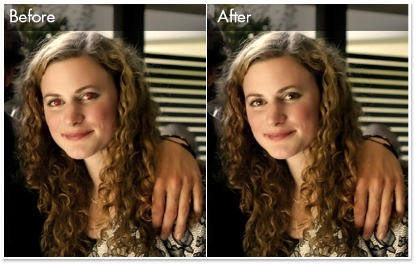
Flexible processingPreview your changes instantly, hide or reveal adjustments, and revert to your original images at any time. Apply presets at the global and group levels, and override default processing settings at any time. Advanced color toolsAdjust individual or overall color with Advanced Color tools. Whether you subtly fine-tune or dramatically change the hue, saturation, and lightness is totally up to you. Adjust with precisionA host of processing tools allow you to make intuitive adjustments to your images. Add clarity, soften focus, cross process, and reduce red eye. Or draw attention to a cropped area with Post-Crop Vignetting.
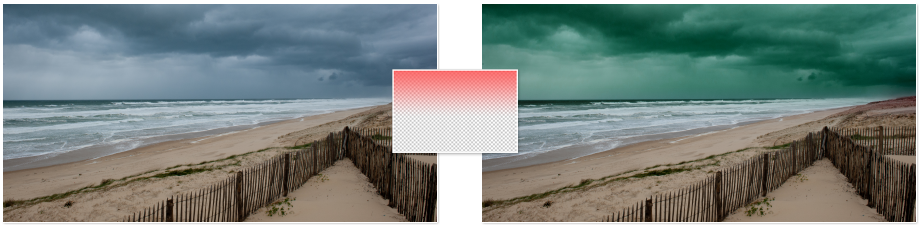
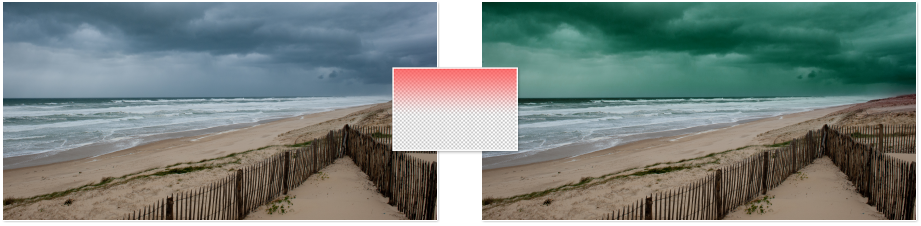
Tune your RAW imagesSee incredibly accurate true-to-life color representation and contrast right from the start. Get the correct white balance and exposure, and fine tune tonal distribution with the combined Tone Curves and Levels tool. Add vibrance while protecting skin tones, and adjust saturation, brightness and hue on a color-by-color basis. Avoid color clipping during RAW conversion by leveraging your image's histogram.Radial and Linear Gradient toolsNon-destructively apply a radial or linear gradient as you correct exposure, saturation, fill light, contrast, and clarity, to gradually progress outward from a center point or subtly across your photo. Copy and paste settings from one photo to another or apply in batches, and blend multiple gradients for even more compelling results.Reduce noiseTake advantage of ACDSee’s incredible noise reduction technology to control different aspects of noise in your high ISO images, including luminance and color sliders, for noticeably smoother and more natural results.Smart SharpeningFeather or soften sharpening halos with the detail slider, and use the edge detection mask slider to focus sharpening efforts on edges and textures.
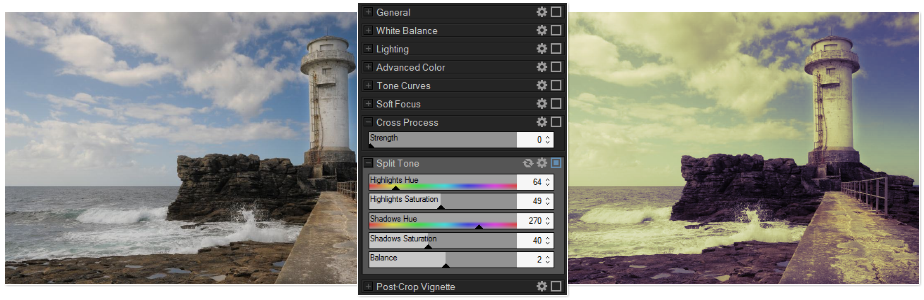
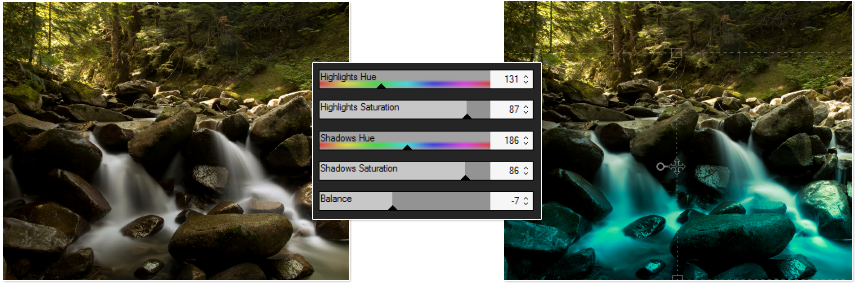
Get it just rightNon-destructively reduce red eye, adjust geometry, and fix perspective, distortion and lens vignetting with full control over pixel size and resolution.Create stunning HDR imageGet amazing single-exposure HDR results. The Lighting tool accurately and intelligently stretches the dynamic range of your photos, for incredibly realistic or atmospheric effects.Selectively developMake non-destructive adjustments to select areas of your images using a versatile brush to precisely get the look you want. Subtly or dramatically correct exposure, add clarity, boost vibrance, blur, sharpen, and more.Highlight your creativityGain complete control over the balance of tones in the shadows and highlights of a given scene with Split Toning. Add a tinted color to highlights and another to shadows to create a dramatic toning effect.Black and white modeMake hue-based brightness adjustments to your monochrome images, and add a specific hue back to a black and white image with saturation-based tinting.
Eliminate flawsNon-destructively erase flaws, blemishes and other unwanted objects with the powerful Heal and Clone options in the Repair tab. You can even copy and paste an adjustment - such as the removal of sensor-related dust spots - onto multiple similar images.
EditPerfect every pixel. Once your global non-destructive adjustments have been completed, add finishing touches at the pixel level to create brilliant images.
Brush on editsQuickly brush on any editing effect or adjustment - including blur, sharpening and noise reduction - to a specific area of your photo, complete with size, feathering, and blending options.Linear and Radial Gradient editing toolsApply a radial or linear gradient as you correct exposure, saturation, fill light, contrast, and clarity, to subtly blend across your photo. Choose a linear gradient for images that aren’t evenly exposed, or that need fine tuning in only select areas. Apply a radial gradient to create off-center vignette effects or multiple vignetted areas, or to draw focus to a single object.Experiment with easeEdit freely, knowing you can revert to your developed photo or your original image at any time.See photos in a whole new lightAdjust areas that are too light or too dark with the Lighting tool, powered by ACDSee’s patented LCE (Lighting and Contrast Enhancement) technology. Instantly lighten shadows and reduce highlights in one click, adjust individual sliders, and change the tonal range and color balance.Edit in batchesTake the Batch Edit fast track, by simultaneously applying edits to multiple photos.
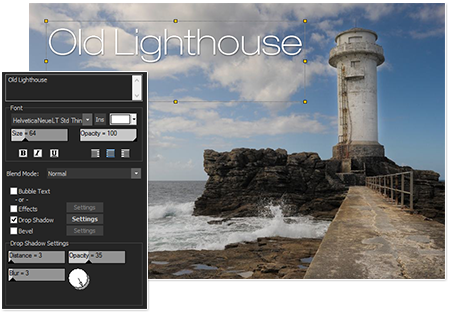
Dodge and burnTarget shadows, midtones or highlights for lightening or darkening with the Dodge and Burn tool, or selectively add vibrance, saturate or desaturate areas of interest.Stake your claimClaim ownership of your work by adding watermarks to all your images at once with Batch Edit, or digitally sign your images with the Add Text tool.
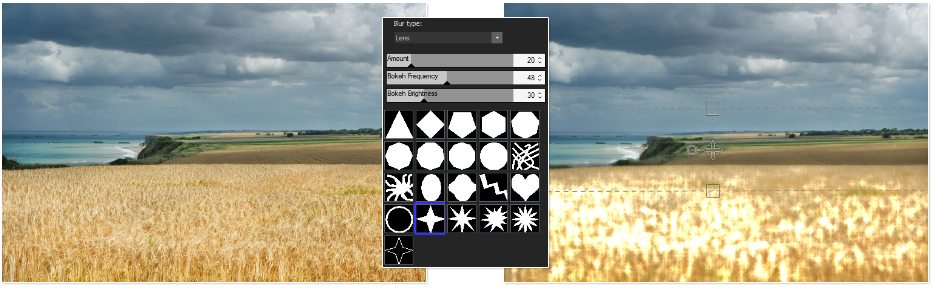
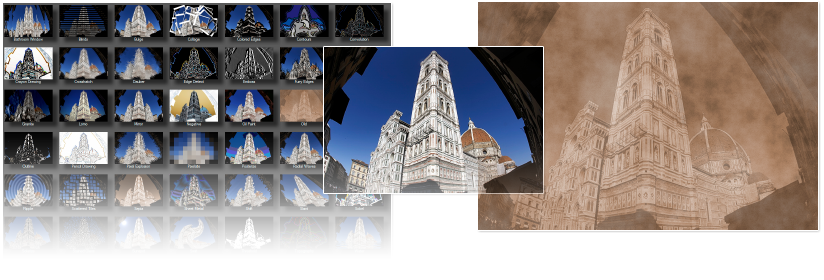
Draw some attentionAdd custom lines, shapes, and text to highlight elements in your image.Blur in a blurAttain a realistic, pleasing bokeh effect with the Lens Blur filter, or apply the Smart Blur filter as a creative effect or to reduce noise while still retaining necessary sharpness and detail.Take it to the edgeThe Split Toning tool gives you precise control over the balance of tones in the shadows and highlights of a given scene.Apply a special effectChoose from more than 45 different special effects to instantly transform your photos.
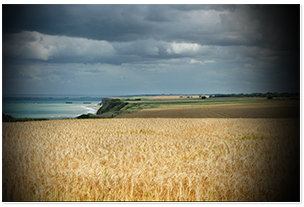
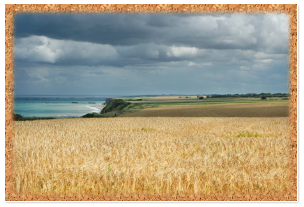
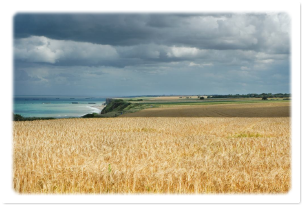
Frame your workAdd vignettes, complete with blend mode and opacity options, to heighten interest in your images.
Present & ProtectWhether you share socially, present online, or email directly to clients, showcasing your photos has never been this effortless. And you can count on ACDSee to help you protect all your valuable work.
Share seamlesslyShare your shots through e-mail, upload to flickr™, SmugMug, and Zenfolio, and send to Facebook in a flash. Conveniently optimize and upload images to web spaces you manage through FTP. Design and present slide shows of your images.Preserve your workProtect what’s valuable. Archive your collection to .zip folders, DVD, or Blu-Ray discs, and backup to external hard drives or ACDSee 365.
Introducing ACDSee 365Fully integrated with ACDSee Pro 7, ACDSee 365 provides you with hassle-free access to other innovative software solutions, sharing, cloud-based photo management, and storage. Backup, store, and stay organized — your photos are ready for you, whenever you need them.
To get a price indication and for volume pricing, please feel free to contact us at sales@unitedaddins.com .Representative markets for ACD Systems' products include AEC (architecture, engineering and construction), insurance, manufacturing, aerospace, automotive, government, architecture/construction, education, gaming, technology, bio/health and oil/gas/energy.Customers include General Motors, Caterpillar, Boeing, The New York City Fire Department, NASA, CNN and the Royal Canadian Mounted Police.ACDSee software was used in the making of the movie Titanic because the filmmakers recognized that only ACDSee could provide the illustration, editing and management tools required for their large scale, complex development tasks and image management requirements.

 Digital asset management
Organize any way you want. Add metadata, ratings, keywords, categories, and location details to your images. Quickly identify photos for further processing with visual tags and color labels. Make use of powerful search tools to find photos based on almost any criteria. With ACDSee Pro 7, even the wildest of libraries can be tamed.
 Non-destructive freedom
Get set for worry-free, go-for-it creativity. ACDSee Pro 7’s non-destructive environment means your original images always stay intact. Preview your changes instantly, hide, reveal or switch up adjustments, and save different versions of your photos.
 RAW processing
See incredibly true-to-life color representation and contrast. Get the correct white balance and exposure, and fine tune tonal distribution. Boost vibrance while protecting skin tones, and adjust saturation, brightness and hue on a color-by-color basis. Avoid color clipping during RAW conversion by leveraging your image’s histogram.
 Super fast viewing
Count on ACDSee Pro 7 to display your photos, including the largest of RAW files, exactly the way you want, fast. View your images in real time, from their original locations, since you never have to import them into a separate library first.
 Patented lighting technology
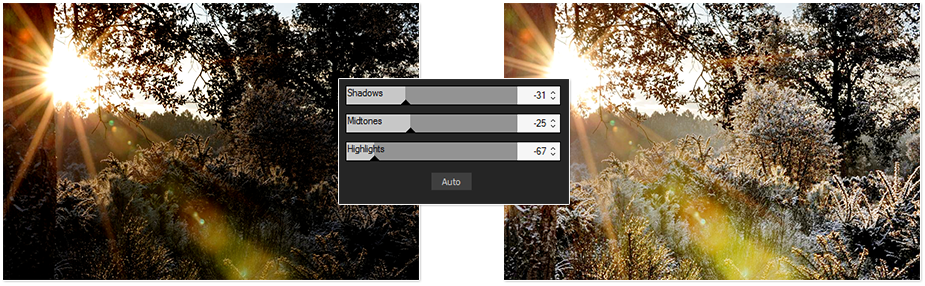
Improve areas that are too light or too dark with the Lighting tool, powered by ACDSee’s patented LCE (Lighting and Contrast Enhancement) technology. Instantly lighten shadows and reduce highlights, change the tonal range and color balance, and experiment with single-exposure HDR effects.
 Brush on selective edits
Brush on any editing effect or adjustment to a targeted area of your photo, complete with size and feathering controls to get the exact look you want. Tune your images, sharpen, reduce noise, erase unwanted objects, and more.
 Powerful batch processing
Save an incredible amount of time. Set ACDSee Pro 7 to perform a range of workflow steps on batches of images at once. Convert formats and color space, resize, change filenames, add watermarks, and easily save them as presets to work even faster the next go around.
 Advanced color control
Take full control of your images with Advanced Color tools to subtly fine-tune or dramatically change hue, saturation, and lightness. And a dedicated black and white mode allows you to make hue-based brightness adjustments to your monochrome images, and to add a specific hue back in.
 Present and protect
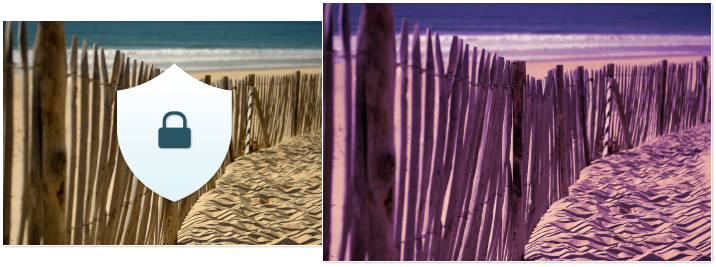
Whether you share socially, present online, or email directly to clients, showcasing your photos has never been this effortless. And you can count on ACDSee to help you protect all your valuable work, both offline and in the cloud.
 Hit the ground runningConnect directly to the folders on your computer, so you can browse and work right away. There’s never a need to import your photos into a separate library.
 Put the flow in your workflowOrganize your photos as you get them from your camera or storage device. Catalog files for increased speed and performance. Customize your workspace to suit your style, switch between multiple databases, and access external editors with seamless simplicity.
 Good things come in batchesPerform a range of workflow steps on batches of images at once. Convert formats and color space, resize and change filenames, and easily save them as presets to work even faster the next go around.
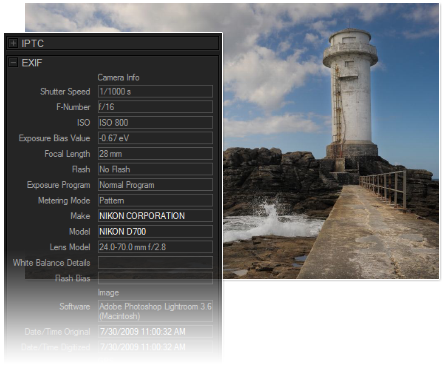 Maximize metadataEnjoy full support for EXIF, IPTC and XMP metadata. Save time by modifying metadata for groups of photos at once, creating presets for ongoing use or for sharing between computers, and copying and pasting metadata on the fly. You can also strip out valuable details to keep your proprietary information private.
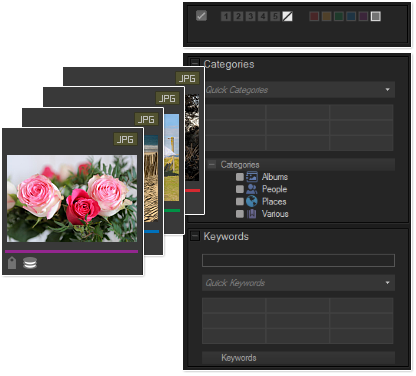
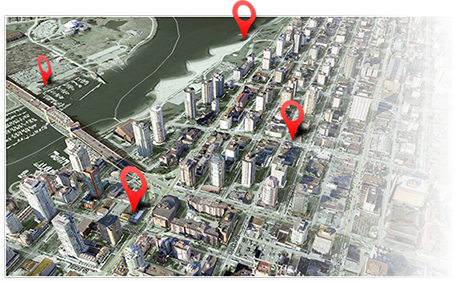 Locate your locationUse embedded latitude and longitude information to lookup the nearest address or place name. Select a pin on the map, choose “Reverse Geocode” and ACDSee will write the matching location details into the corresponding IPTC fields.
 Super fast performanceHigh resolution images require high amounts of handling power. Speed up your image processing and zoom through your workflow tasks, thanks to ACDSee Pro 7’s native 64-bit support for Windows operating systems.
 Consistent color workflowACDSee Pro 7's color management system resolves color matching issues that can occur between different devices with accurate color matching and high quality results. Plus, multiple monitors are supported.
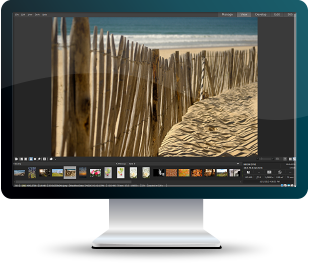
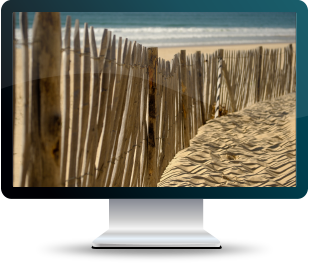
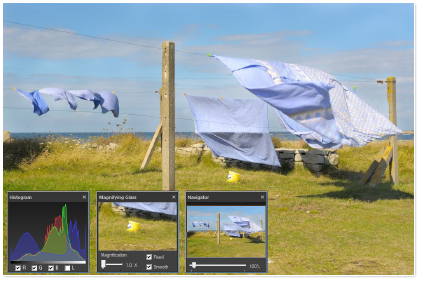 Get up close and personalExamine details with Zoom, Navigator, Magnifying Glass, and Histogram tools, and see your images at full resolution with a single click.
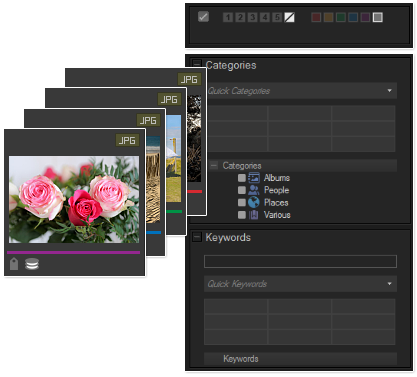
 Flexible processingPreview your changes instantly, hide or reveal adjustments, and revert to your original images at any time. Apply presets at the global and group levels, and override default processing settings at any time.
 Advanced color toolsAdjust individual or overall color with Advanced Color tools. Whether you subtly fine-tune or dramatically change the hue, saturation, and lightness is totally up to you.
 Adjust with precisionA host of processing tools allow you to make intuitive adjustments to your images. Add clarity, soften focus, cross process, and reduce red eye. Or draw attention to a cropped area with Post-Crop Vignetting.

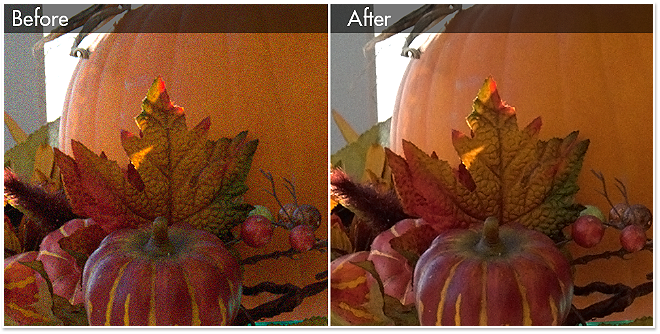
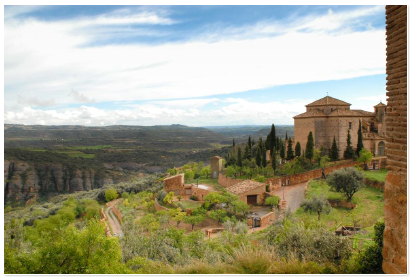


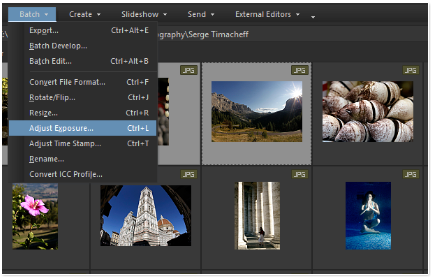 Edit in batchesTake the Batch Edit fast track, by simultaneously applying edits to multiple photos.
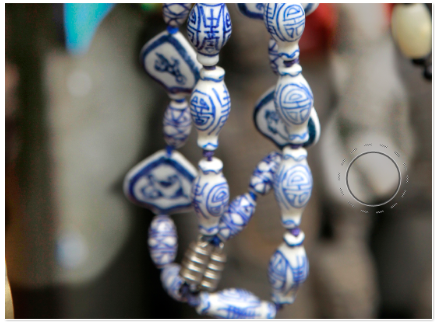
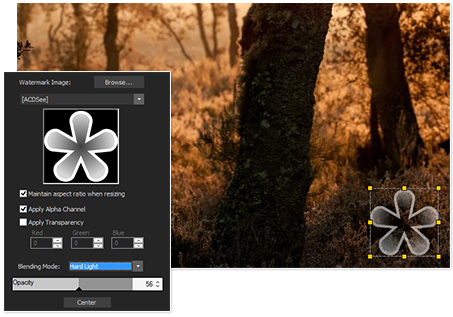 Stake your claimClaim ownership of your work by adding watermarks to all your images at once with Batch Edit, or digitally sign your images with the Add Text tool.

 Preserve your workProtect what’s valuable. Archive your collection to .zip folders, DVD, or Blu-Ray discs, and backup to external hard drives or ACDSee 365.
 Introducing ACDSee 365Fully integrated with ACDSee Pro 7, ACDSee 365 provides you with hassle-free access to other innovative software solutions, sharing, cloud-based photo management, and storage. Backup, store, and stay organized — your photos are ready for you, whenever you need them.